
 NL


Free Shopify app
ChatGPT Ads Feed Sync
Turn your Shopify catalog into a product feed for OpenAI Ads and ChatGPT. One feed per country, with the right prices and translated titles, refreshed automatically every hour.

CONTACT
Free Shopify app
Turn your Shopify catalog into a product feed for OpenAI Ads and ChatGPT. One feed per country, with the right prices and translated titles, refreshed automatically every hour.
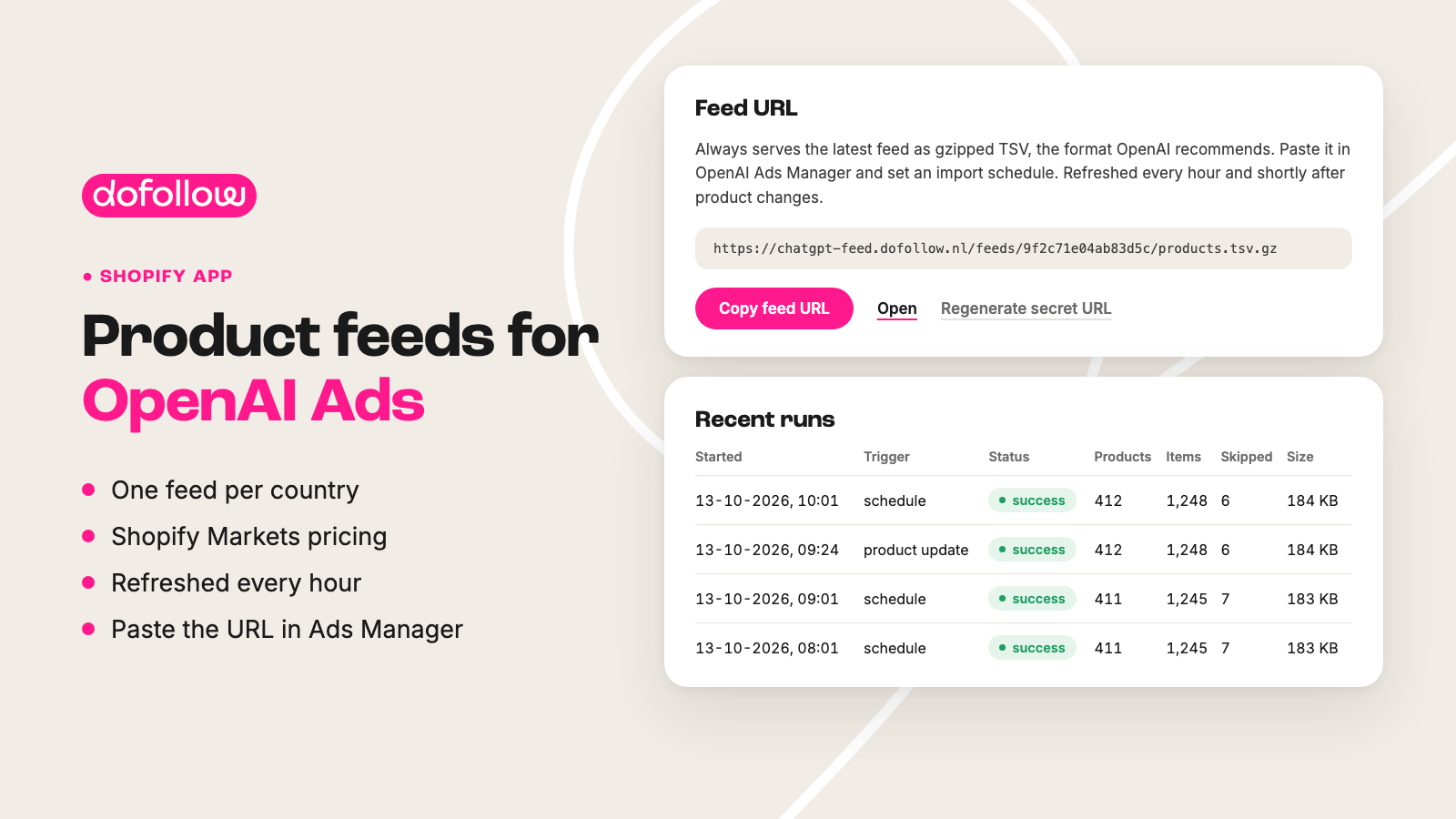
To advertise in ChatGPT or show your products in ChatGPT shopping, you need a product feed in OpenAI's own format. Keeping that feed up to date by hand takes time, and outdated prices or stock cost you sales.
ChatGPT Ads Feed Sync builds that feed straight from your Shopify catalog. You get one feed per country, with prices from the matching Shopify Market and titles in that market's language. You paste the URL into OpenAI Ads Manager once; after that, the feed stays up to date on its own.
Selling in several countries? You get a separate feed for each country, with prices from Shopify Markets and translated titles.
Include entire collections or individual products. If a product is skipped, you see exactly why.
The feed is refreshed every hour and shortly after product changes, ready for a scheduled import in OpenAI Ads Manager.
Eligibility flags and custom labels for ChatGPT search, checkout and ads.
The app takes your merchant name, policies and return window from your store settings.
The app is free to install from the Shopify App Store.
1
Add ChatGPT Ads Feed Sync to your Shopify store for free from the App Store.
2
Decide which countries you want a feed for and which collections or products go into it.
3
Copy the feed URL into OpenAI Ads Manager and set up an import schedule there. The app keeps the feed up to date from then on.
The app takes care of the feed. Want help with the ads themselves too, from proposal to management and reporting? Read more about advertising in ChatGPT.
Ads are one side of the story. With AI Ranking we also work on getting ChatGPT to mention your products and brand in its answers on its own.
What does the app cost?
Nothing. ChatGPT Ads Feed Sync is free to install and use from the Shopify App Store.
What do I need to use the feed?
A Shopify store and an account in OpenAI Ads Manager. That is where you paste the feed URL the app creates for you.
What format is the feed in?
The feed is a gzipped TSV file, the format OpenAI recommends. The URL is secret and always serves the latest file.
How often is the feed updated?
Every hour, and also shortly after you change your products. That keeps prices and stock in ChatGPT in line with your store.
I sell in several countries. Does that work?
Yes. The app creates a separate feed for each country, with prices from the matching Shopify Market and titles in that market's language.
Why is a product missing from the feed?
The app shows the reason for every skipped product, so you know right away what to fix.
Install ChatGPT Ads Feed Sync for free from the Shopify App Store and create your first feed.
Who are you?
Willemsplein 9-2
6811 KB Arnhem
Parking
dofollow BV
Chamber of Commerce 88435016
IBAN NL11 KNAB
0254 8654 61
VAT NL864624189B01